Historical yield
Within the import module is the Historical yield, which allows to import historical yield by means of flat files.
Note
This option is available for users who have the roles of ADMIN, CLIMATOLOGIST, IMPROVER.
What does this module allow you to do?
The historical yield allows uploading flat files with historical crop production information for each location. Each file contain information from one or several weather stations at a time. The data can be observed or modeled. This information is used for the visualization of agroclimatic information.
Note
Each file requires specifying a data source.
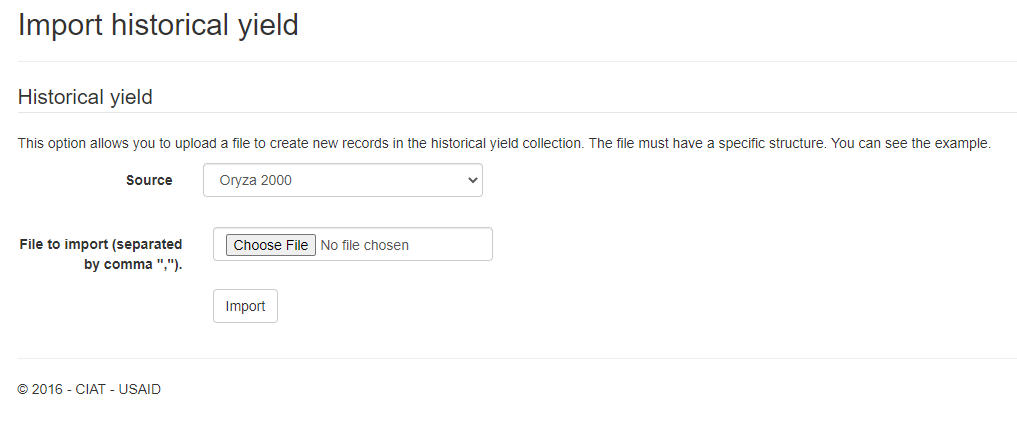
How to access to the historical yield module?
To access to the historical yield module, you must go to the top menu and select the Import option and in the submenu that is displayed you must select Historical yield.

Import historical yield
To perform the import, a flat file must be prepared with the information for each weather station, soil and cultivar. This file must be in CSV format. Select the file from your device.

The source of the information must be selected.

Finally, click on the Import button.
Column |
Meaning |
|---|---|
weather_station |
weather station code - string type |
soil |
soil code - string type |
cultivar |
cultivar code - string type |
start |
date of initial planting - format (yyyy-MM-dd) |
end |
final planting date - format (yyyy-MM-dd) |
measure |
measure (yield_14 - yield at 14% moisture, yield_0 - yield at 0% moisture, d_har - days to harvest, d_dry - days to drying, prec_acu - cumulative precipitation, t_max_acu - cumulative maximum temperature, t_min_acu - cumulative minimum temperature, bio_acu - cumulative biomass, et_acu - cumulative evapotranspiration). |
median |
median - numeric type |
avg |
average - numeric type |
min |
minimum value - numeric type |
max |
maximum value - numeric type |
quar_1 |
first quartile - numeric type |
quar_2 |
second quartile - numeric type |
quar_3 |
third quartile - numeric type |
conf_lower |
lower confidence interval limit - numeric type |
conf_upper |
upper bound of confidence interval - numeric type |
sd |
standard deviation - numeric type |
perc_5 |
5th percentile - numeric type |
perc_95 |
95th percentile - numeric type |
coef_var |
coefficient of variation - numeric type |
The file must have the following format:
Line 1 should have the following heading:
weather_station,soil,cultivar, start,end,measure, median,avg,min,max,quar_1,quar_2,quar_3,conf_lower,conf_upper,sd,perc_5,perc_95,coef_var
The following lines contain the production history information. Example:
58504f5d006cb93ed40eec4e,5851ab2c47847d1f144b83ff,58505210c290272c481111b1, 1980-01-01,1980-01-05,yield_14, 8582.2,8582.2,8582.2,8582.2,8582.2,8582.2,8582.2,0,0,0,8582.2,8582.2,0
The following is an example of what the file would look like in the excel viewer

The following is an example of what the file would look like in text viewer
